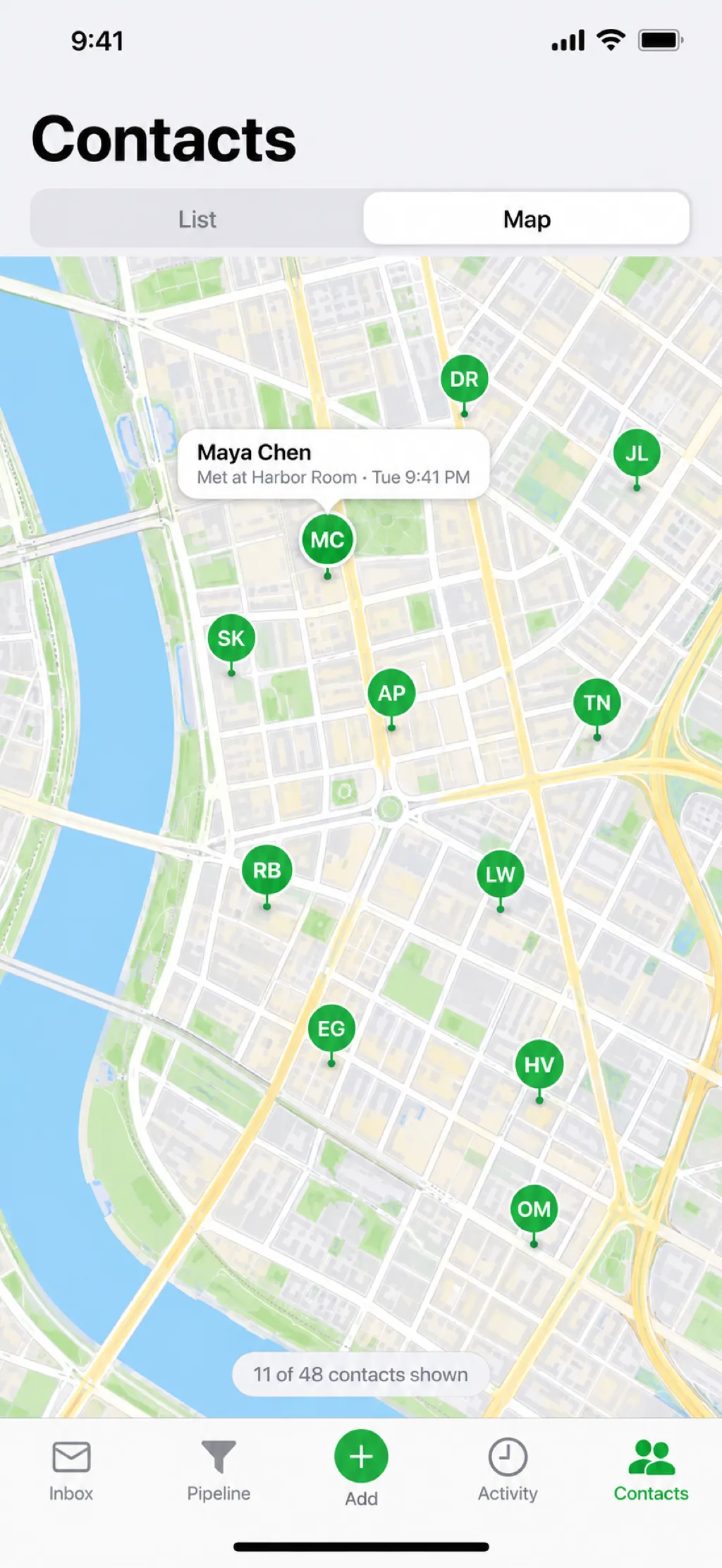
See everyone on a map of where you met.
Each contact keeps the place you met. Open the map and the whole night, or the whole conference, comes back.

Try it now: add yourself as a contact.
Type your number or email, then tap Message or Email.
By tapping Message, WhatsApp, or Email, you agree to get that one message and one launch announcement from Protact. Message and data rates may apply. Reply STOP to opt out. See our Privacy Policy.
Start a WhatsApp chat, a call, or a text with a number you just typed. It never has to touch your iPhone’s address book, and Protact still remembers who it was and where you met.
Got a handle instead of a number? Jump straight to their Instagram, TikTok, or X profile from the same field, and follow them before the conversation ends.
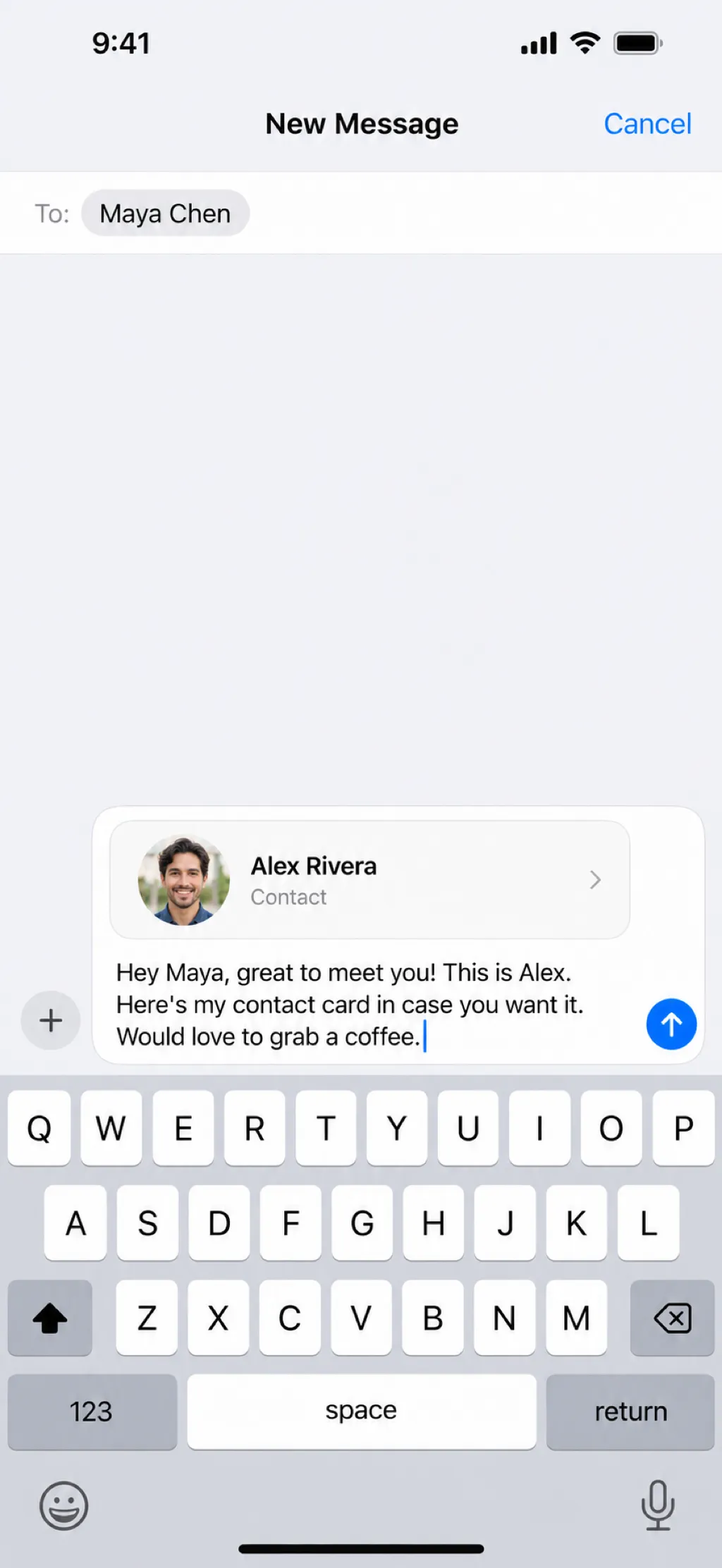
Protact drops your contact card into a message with a friendly note already written. Your photo travels inside the card, so you land in their phone with a face, not just a number.

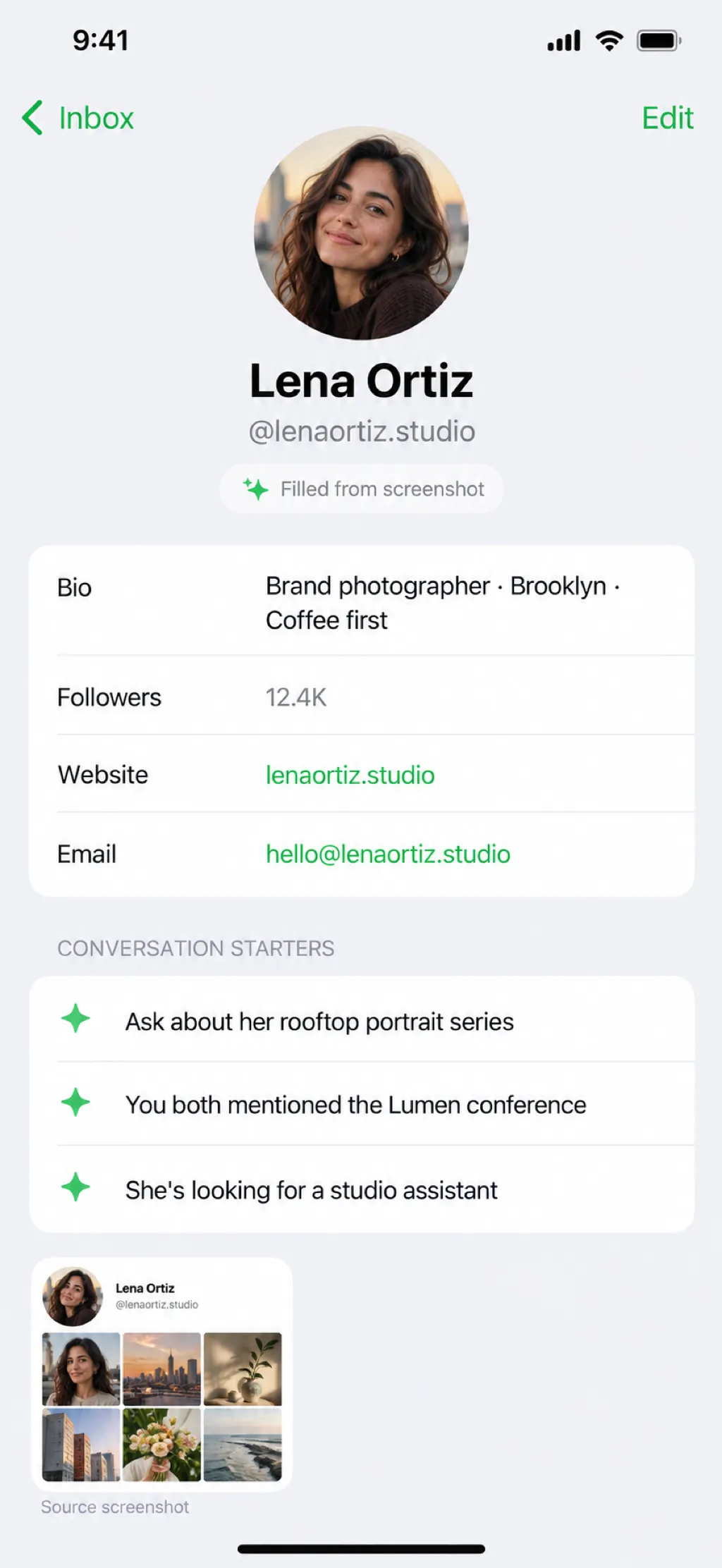
Don’t worry, Protact caught the contact.
Screenshot someone’s profile or the conversation you just had. Protact reads it and fills in their name, handles, bio, and what you talked about, then suggests a few ways to pick the conversation back up.
Got a whole scroll of them? Add up to twelve screenshots at once and Protact reads them together as one story.
Optional. Works with your own AI account and only after you allow it.
Most numbers end up as a name you can’t place. Protact remembers where you met, when, and what comes next, so every new contact turns into a real one.
Protact saves where and when you met someone and finds the venue for you. Months later, the place and the moment are right there on their card.
New contact "John Appleseed" added from Protact input
Met at Apple’s “Surprise and shine” event
Added
9/9/2026, 9:41 AM
Map data © OpenStreetMap · OpenMapTiles · OpenFreeMap
Coordinates
37.3309, -122.0074
City
Cupertino, CA
Venue
Steve Jobs Theater
Each contact keeps the place you met. Open the map and the whole night, or the whole conference, comes back.
The people you just met are always on top, so you never scroll to find tonight’s introductions.
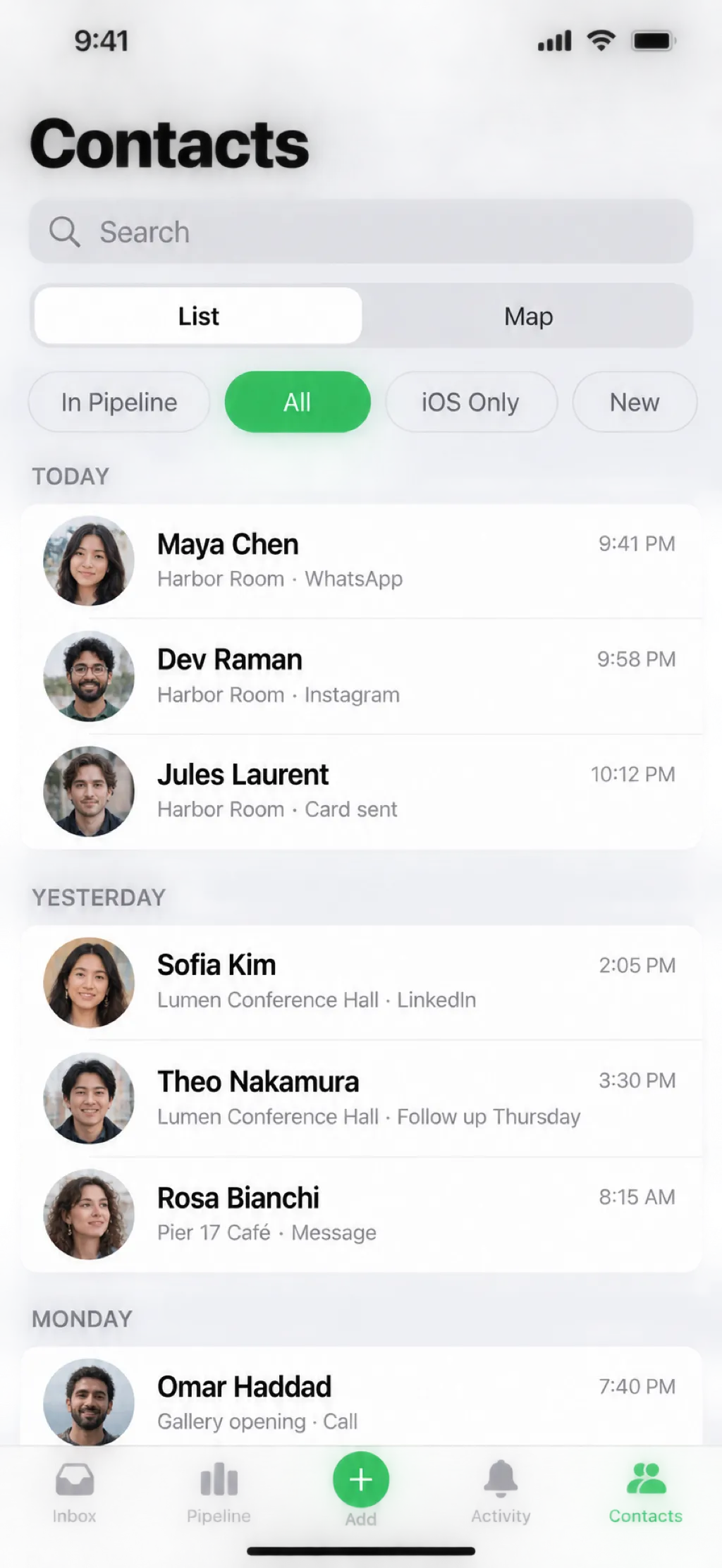
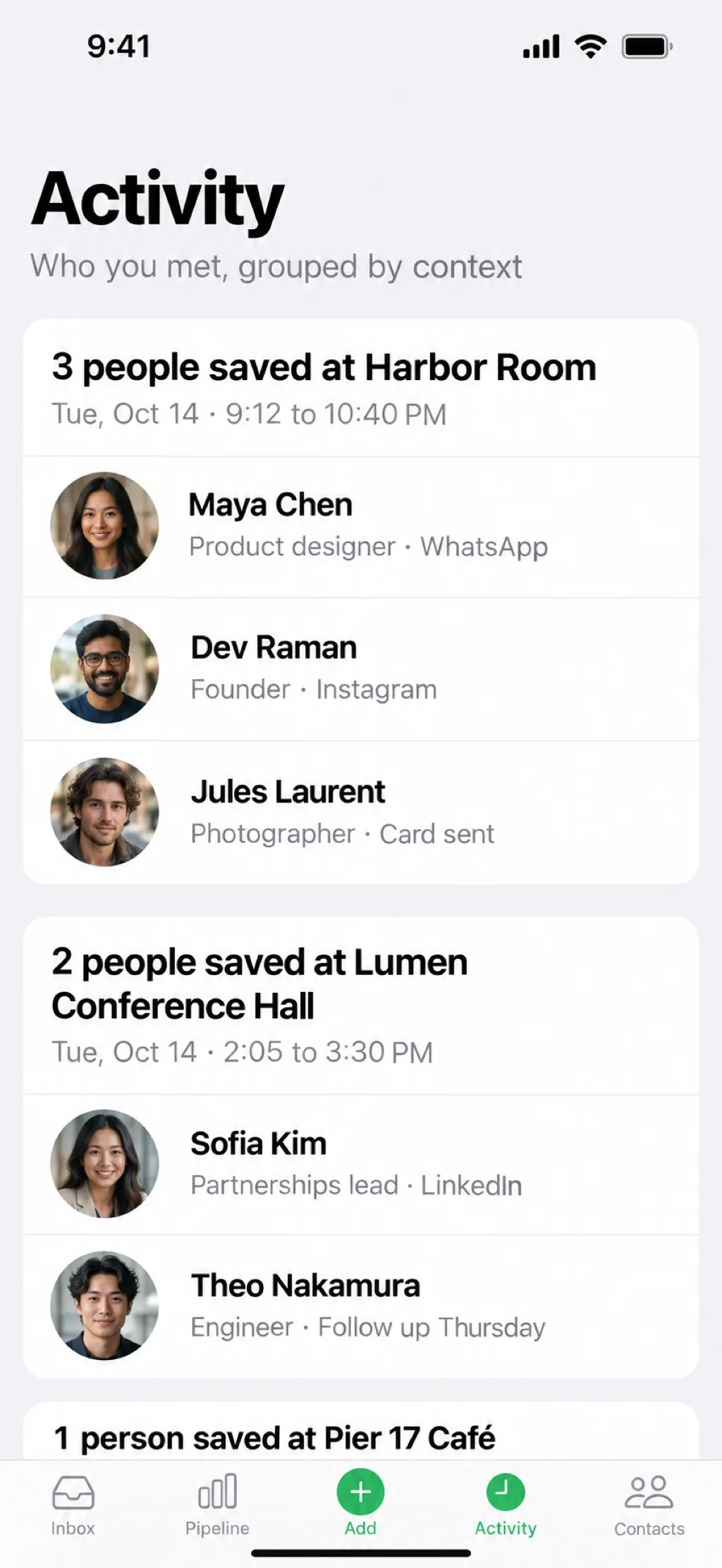
Activity gathers people by moment: three saved at Harbor Room, two at the conference.
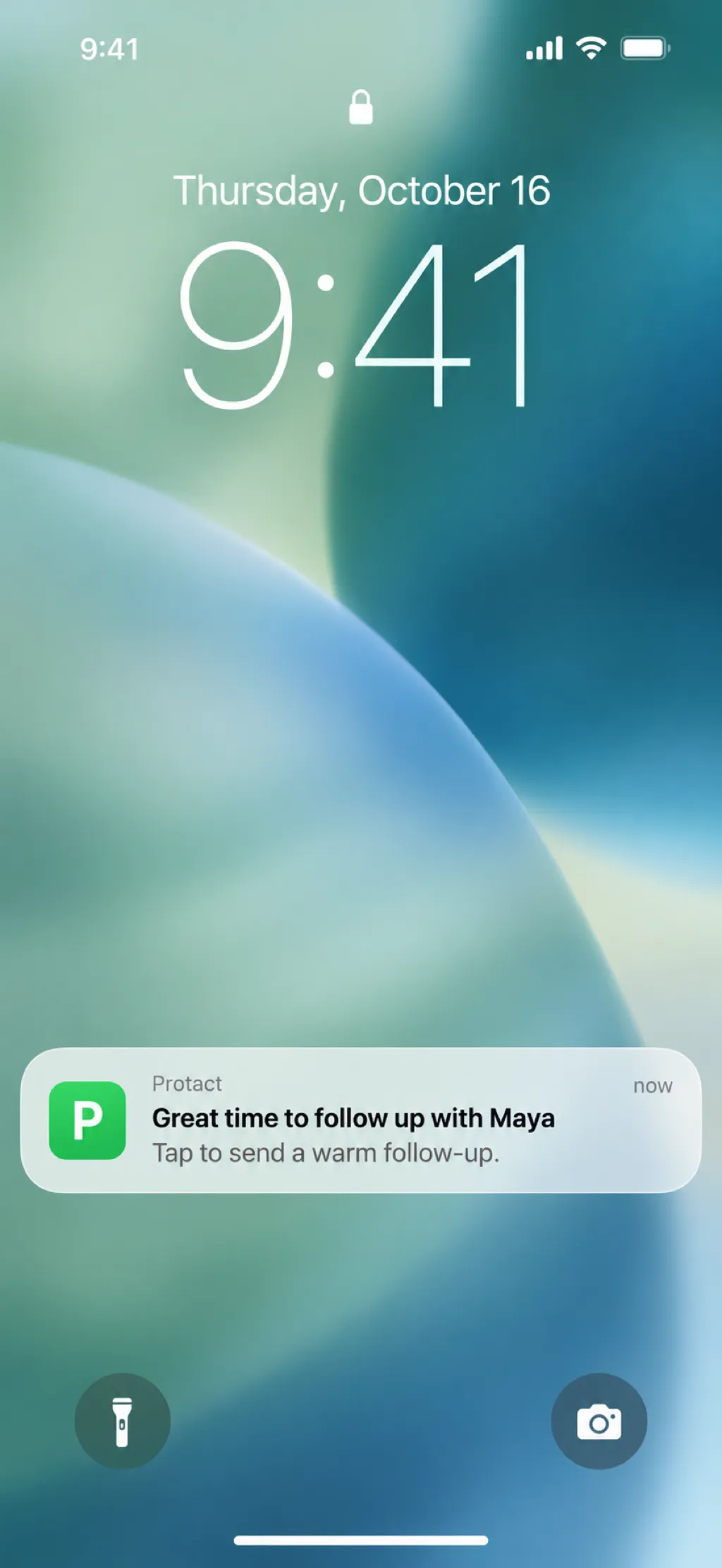
Protact reminds you to follow up at the right moment and opens a ready-to-send message when you tap. You decide when to hit send.
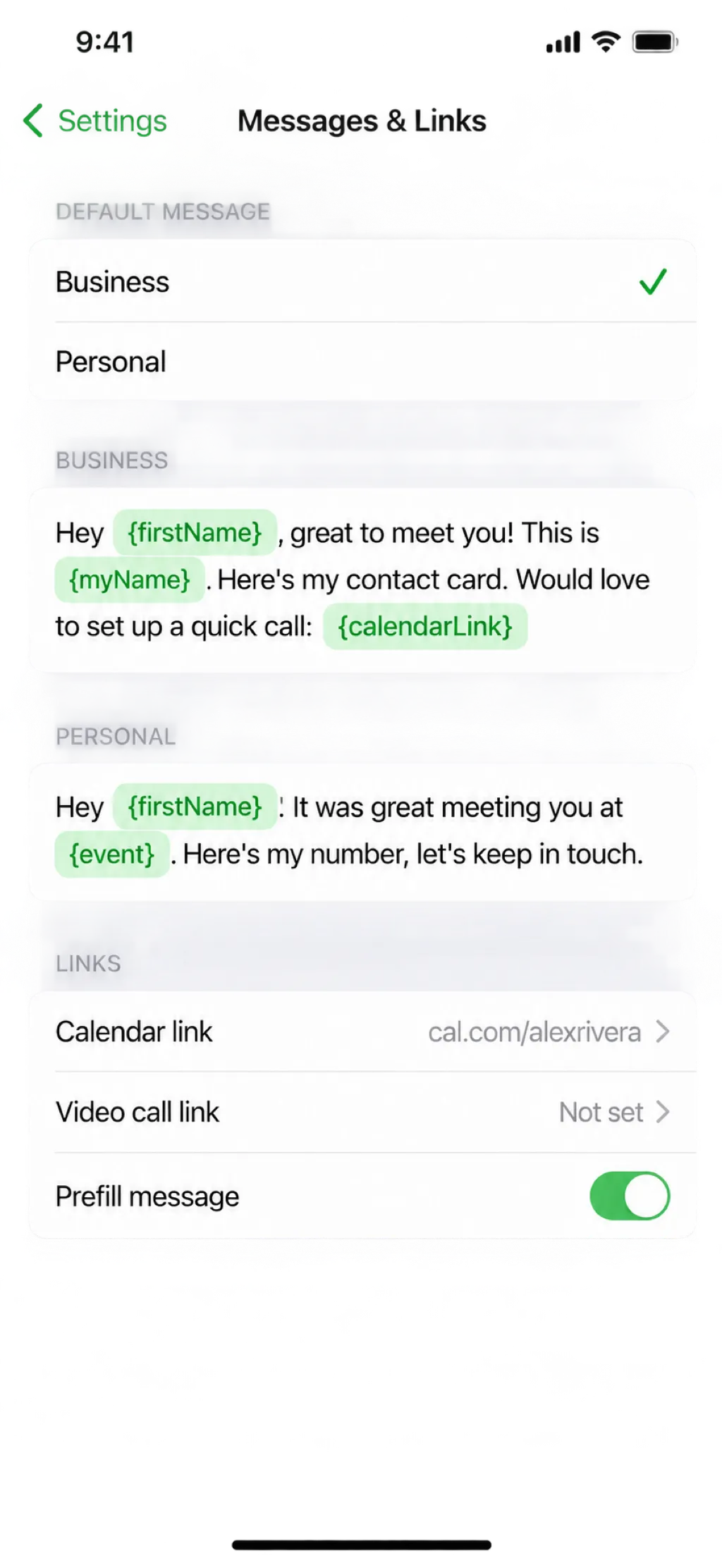
Save messages that fill in each person’s name, keep business and personal versions, and drop in your booking link with one tap.
Move each person from first hello to an active friendship or deal, one tap at a time.
Keep a work card and a personal card, each with its own photo, and pick the right one per person.
A row of digits sits above the keyboard, so typing a number never means switching keyboards.
Open someone’s profile from Protact, take a screenshot, and it’s saved with their contact.
Follow-up reminders pace themselves differently for a client than for a new friend.
Save or AirDrop your contacts as a spreadsheet whenever you need them somewhere else.
No account to create and nothing sent to us. The people you meet are yours alone.
Read the privacy policy
Protact is coming to the App Store for iPhone. Join the waitlist and we’ll tell you the day it’s ready.